Thaluna Image
A downloadable tool for Windows
Thaluna Image is an easy-to-use local image editor for quick character cutouts, layers, pixel sprites, and publish-ready edits.
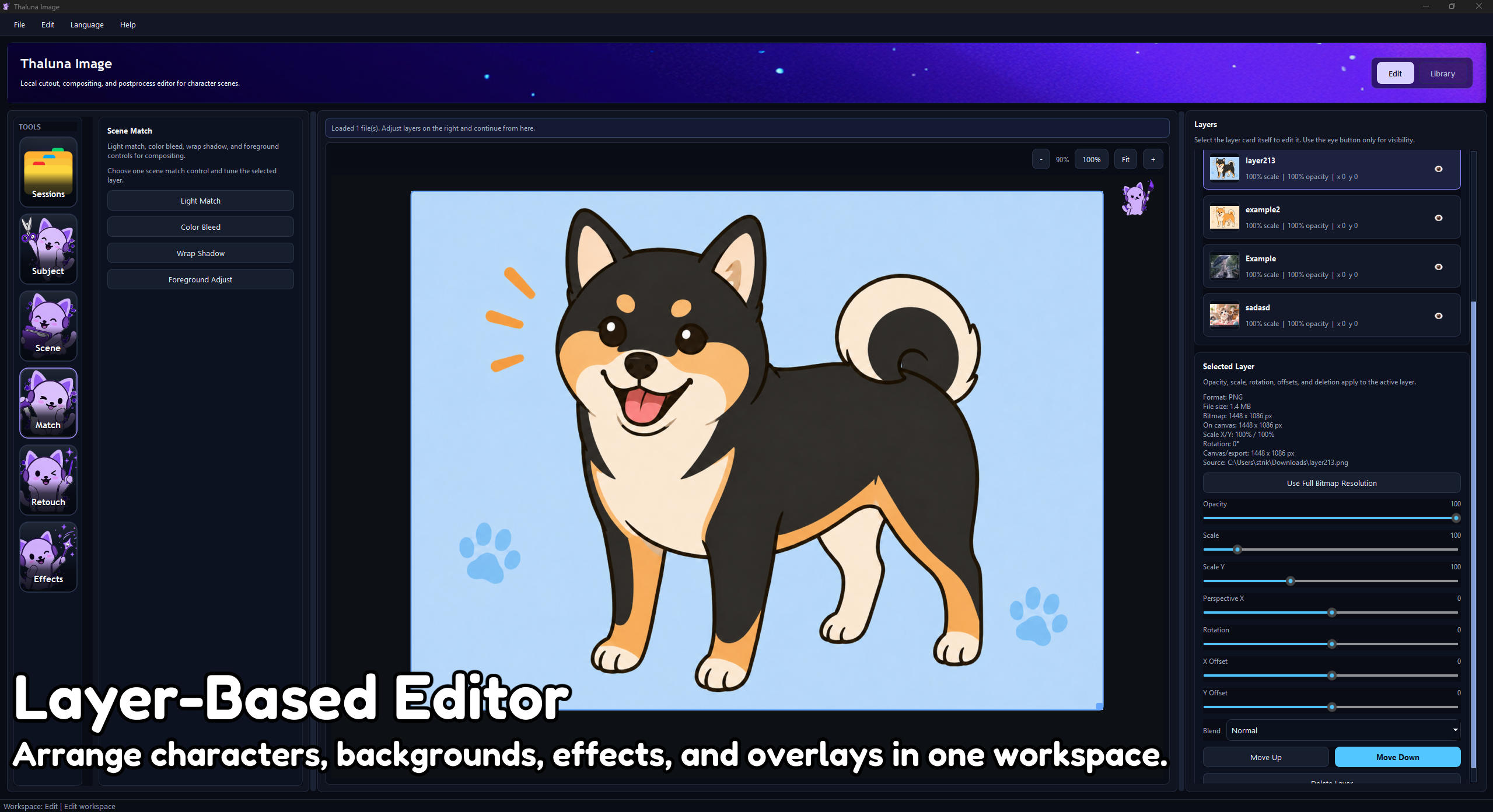
It is made for creators who want common visual edits as focused tools instead of digging through a full professional art suite. Remove a background, arrange layers, add speed lines, place a watermark, create a pixel-style output, export a game sprite, or save a session in one practical workspace.
Why Thaluna Image?
Thaluna Image is not trying to replace a full professional art suite. It is built for repeated creator tasks that are usually simple, but annoying when they are hidden behind too many menus.
The goal is simple: fewer hidden steps, faster edits, and practical tools for everyday visual workflows.
Demo and Full Version
A demo build is available so you can test the workflow before buying.
- Demo: same core editing surface, with watermarked preview/export and limited export output.
- Full version: clean exports, full use, saved workflow, and future updates uploaded to this itch.io page.
Features
- Layer-based editing for characters, backgrounds, overlays, watermarks, and effects.
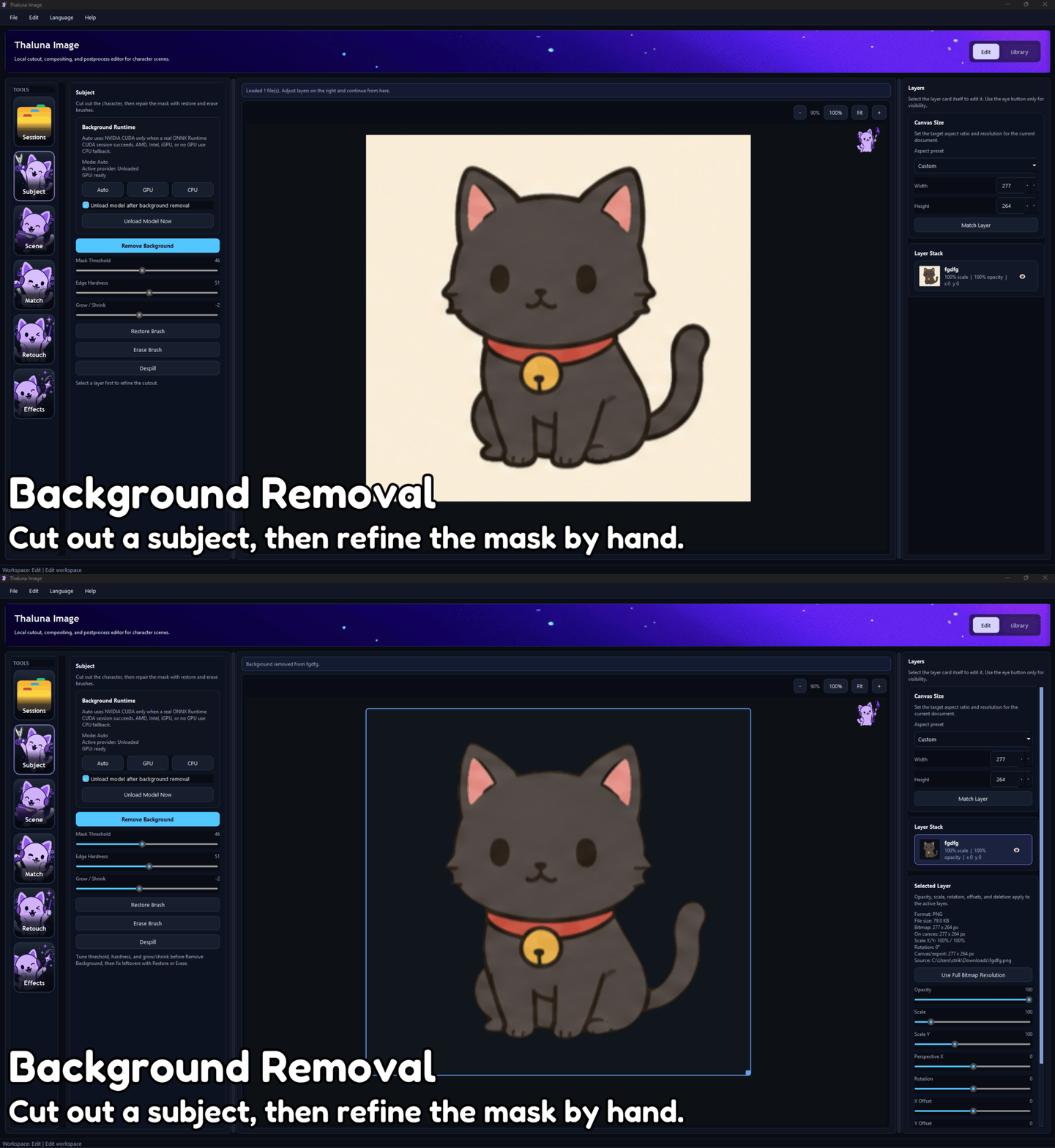
- Background removal for subject cutouts and scene composition.
- Restore brush for fixing removed areas by hand.
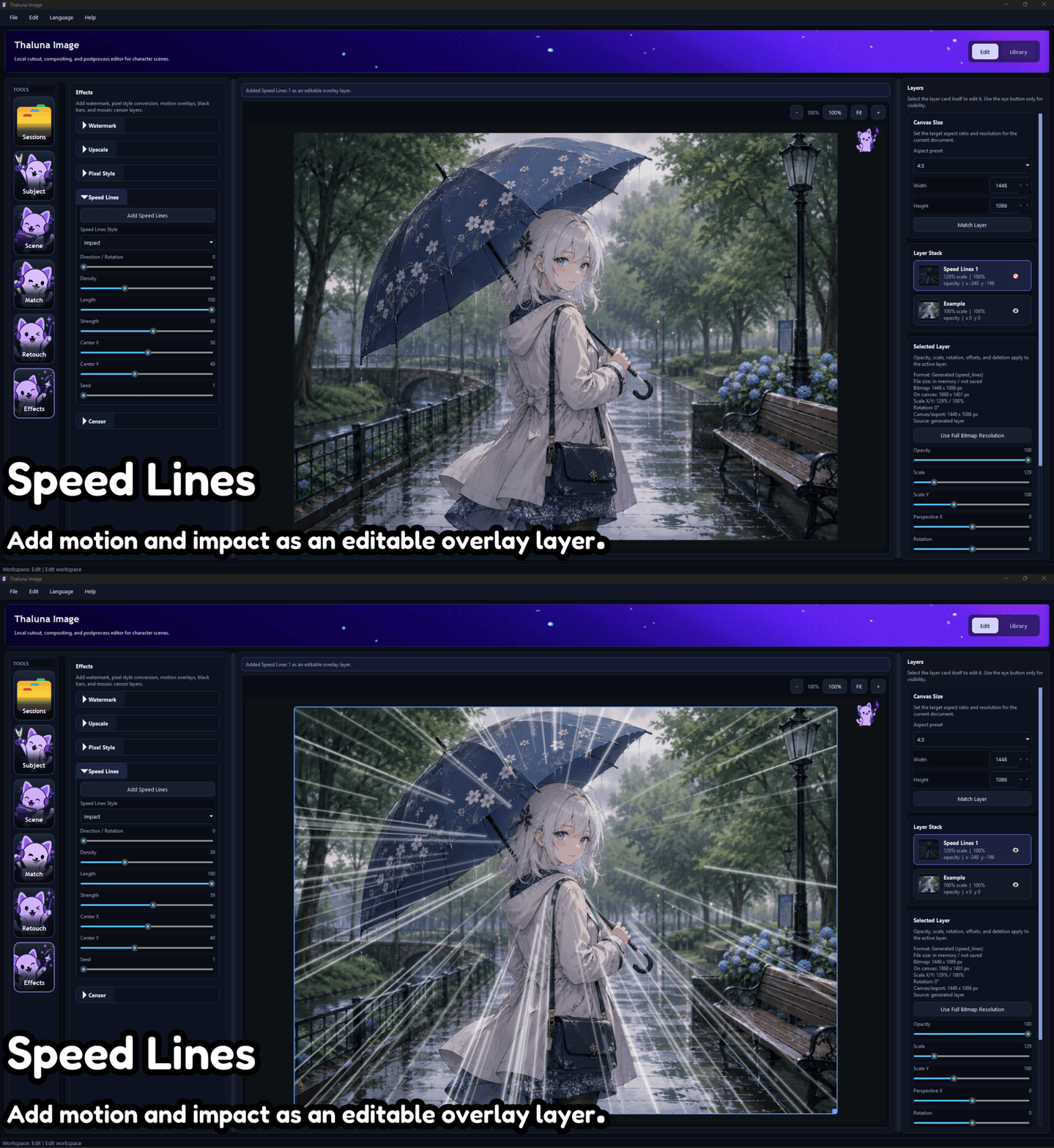
- Speed lines and effects for adding motion and impact to static images.
- Mosaic and black bar censor tools for quick publishing edits.
- Watermark support with position, size, and rotation controls.
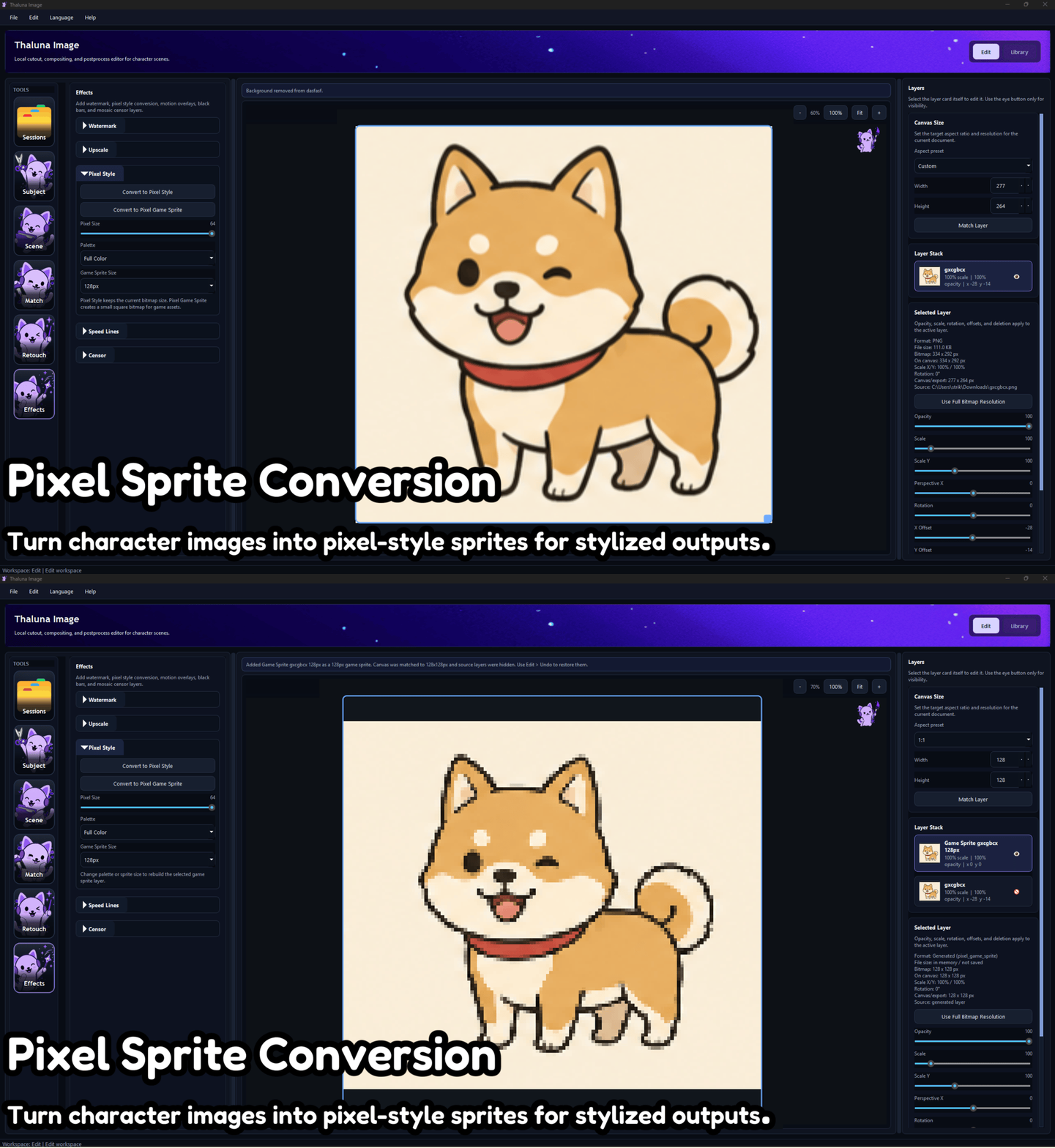
- Pixel-style conversion for stylized pixel-art-looking outputs.
- Pixel Game Sprite export for turning a selected layer into a small transparent PNG sprite with common sizes like 16x16, 32x32, 64x64, 128x128, and 256x256.
- Sharp pixel output using hard edges and nearest-neighbor style scaling for cleaner game imports.
- Local upscale support for image enhancement on supported systems.
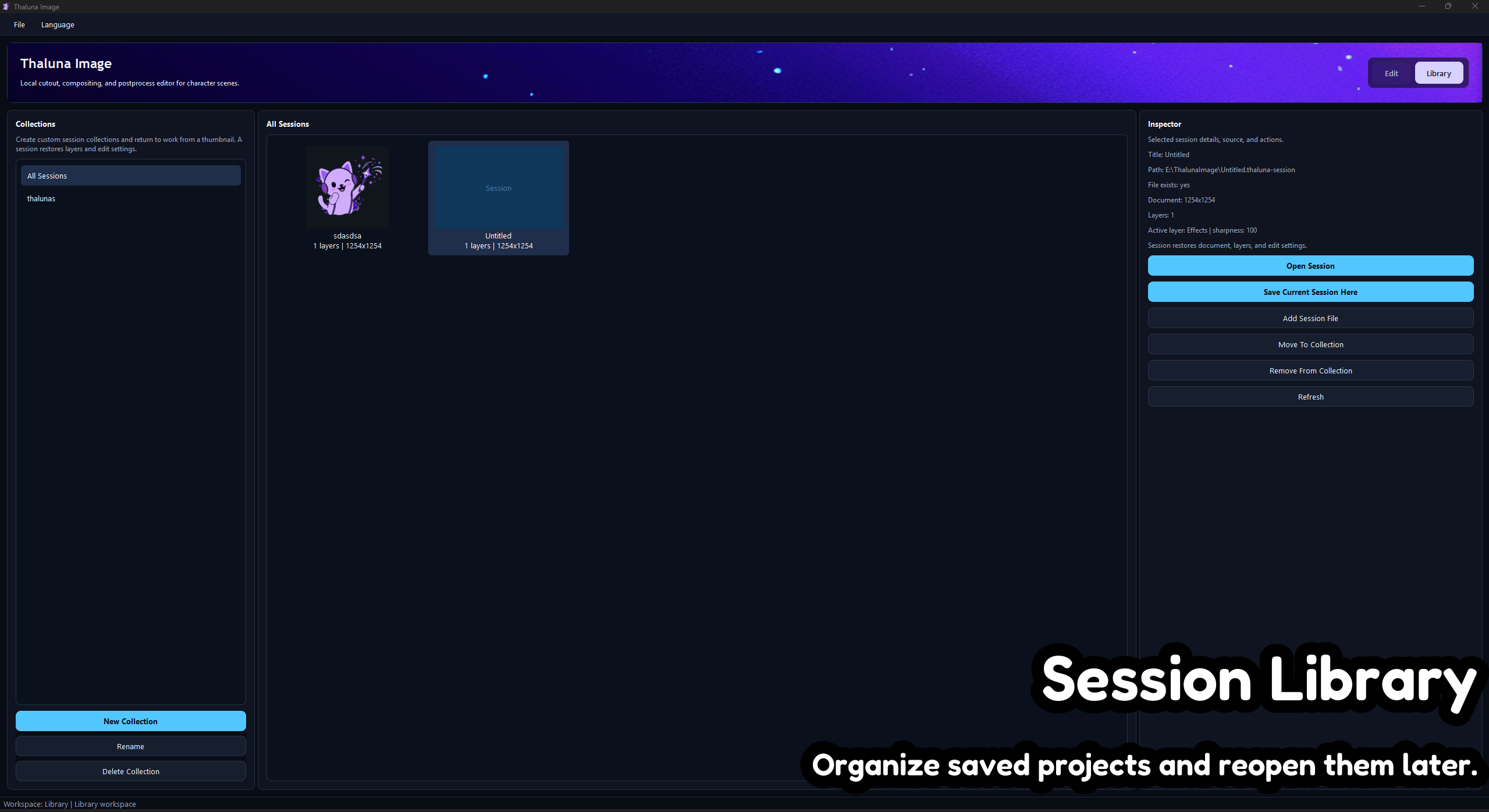
- Sessions and collections so you can save a project and continue later.
- Local workflow: core editing happens on your machine, not through a cloud editor.
Useful For
- Preparing character cutouts and scene edits.
- Making thumbnails, previews, watermarked images, and publish-ready assets.
- Adding quick motion, censor, watermark, and cleanup effects without opening a complex editor.
- Creating quick pixel-style versions of images.
- Exporting small transparent game sprites for engines, RPG tools, prototypes, and asset packs.
- Saving repeatable editing sessions instead of rebuilding the same edit from scratch.
Pixel Game Sprite Mode
Thaluna Image can convert a selected layer into a compact transparent sprite canvas. This is useful when you want a quick game-style asset from an existing character, icon, object, or cutout.
- Exports as a small square PNG.
- Supports common sprite sizes.
- Automatically matches the canvas to the sprite size.
- Uses sharp pixel scaling instead of soft blur.
- Best used with nearest/point filtering in your game engine.
Current Status
Thaluna Image is a new tool and is still growing. The focus is on practical editing features: layers, saved sessions, background work, effects, pixel/game exports, and final publishing tools.
Buyers will receive future updates uploaded to this itch.io page.
System Requirements
- OS: Windows 10 / Windows 11
- Recommended: dedicated GPU for heavier background removal and upscale tasks
- Storage: extra space may be needed for local backend files, saved sessions, and exported projects
Notes
Thaluna Image edits images you provide. It is not a prompt-based image generator.
Some advanced local features, such as upscaling or background removal, may depend on your hardware and GPU/driver support. Basic layer editing, pixel export, watermarking, censoring, and final image export are designed to stay simple and local.
Purchase
In order to download this tool you must purchase it at or above the minimum price of $1.99 USD. You will get access to the following files:
Download demo
Development log